-
spark - remote hive connectionBig Data 2020. 8. 11. 23:27
(production code는 아니고) 모델 개발 중에 remote hive의 데이터를 가져와 기존 데이터와 함께 처리해야 하는 경우가 있었다.
이 case를 해결할 수 있는 방법은 아래와 같다.
- 방법 1. remote hive(hadoop cluster)의 데이터를 기존 cluster로 ETL(distcp 등)
- 방법 2. remote hive connection
지금까지 방법 1로 cron tab 돌려서 사용하다가, 신규 data/table들이 생길 때마다 ETL job 만들어야 하는 단점이 있었다. (distcp는 remote hive/cluster 담당자와 협의가 필요하기도 해서 안 쓰고, remote hive 인증 계정으로 ETL job 만들어버림)
그래서 방법2로 변경하였다.
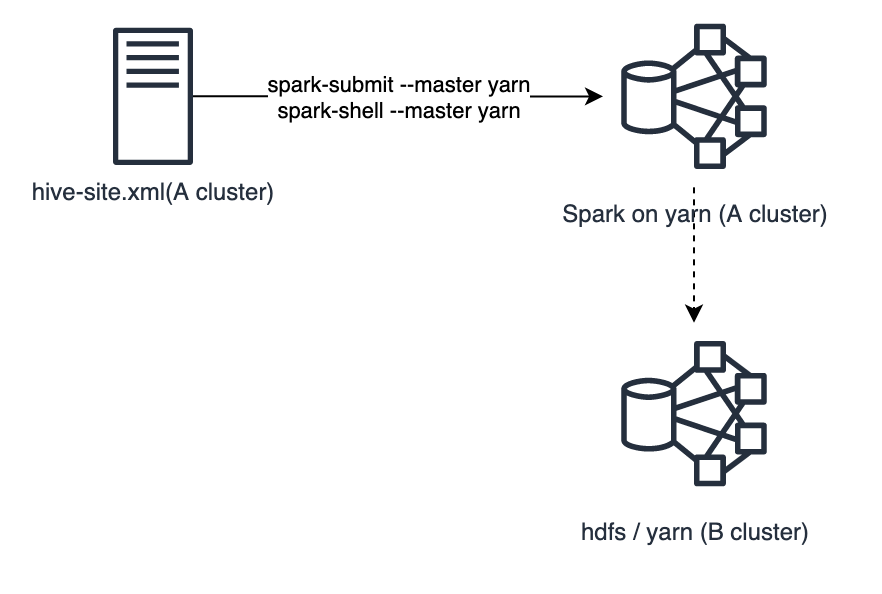
spark - remote hive connection spark에 hive 접속할 때는 hive-site.xml를 참조하여 hiveserver2를 통하지 않고, direct로 hive metastore에 접근한다. 기존 cluster의 hive-site.xml를 remote cluster의 xml로 변경할 수 없고.. 고민하다가 remote hive의 STS 정보를 사용하여 아래와 같이 별도 Connetion을 추가하였다.
// sample scala code
import java.sql.SQLException;
import java.sql.Connection;
import java.sql.ResultSet;
import java.sql.Statement;
import java.sql.DriverManager;

val conn: Connection = DriverManager.getConnection("jdbc:hive2://----:10000", "---", "---")
val res: ResultSet = conn.createStatement.executeQuery("show databases")
while (res.next()) {
    System.out.println(res.getString(1));
}
이 방법으로 spark-shell, pyspark 모두 잘 된다.